
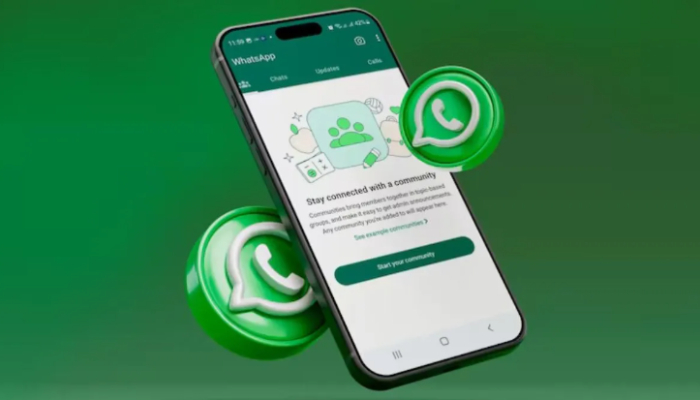
WhatsApp has rolled out a major update aimed at making chat backup security more seamless and user-friendly. The messaging giant has introduced passkey protection for end-to-end encrypted backups, allowing users to safeguard their chat history using fingerprint or Face ID. This means users no longer have to deal with complex passwords or remember lengthy encryption keys. The new system offers quick, biometric-based access that ensures both convenience and safety.
Extending WhatsApp’s Encryption Legacy
WhatsApp has long been known for its end-to-end encryption, which keeps personal chats, calls, photos, and files private. Until now, encrypted backups required users to create a manual password or a 64-digit encryption key—a process many found confusing. With the new passkey system, WhatsApp is simplifying this step without compromising on protection, making strong encryption accessible even for non-technical users.
What Exactly Are Passkeys?
Passkeys are a passwordless authentication method designed to replace traditional passwords with biometric verification. Instead of typing a password, users can unlock or restore their WhatsApp backups using fingerprint, Face ID, screen lock PIN, or pattern (on Android). Unlike passwords, passkeys can’t be stolen or shared, making them far more resistant to hacking and phishing attempts.
How Passkeys Protect Your Chat Backups
The new feature enhances security for backups stored on Google Drive or Apple iCloud. Only the device owner can access or restore these backups using their registered biometric credentials. Previously, users had to save or remember long encryption codes. Now, restoring chat history on a new device is as simple as a fingerprint scan or Face ID recognition.
Enabling Passkey-Based Backup
To activate this feature:
- Open WhatsApp and tap the three-dot menu on Android or the profile icon on iPhone.
- Go to Settings.
- Select Chats.
- Open Chat Backup.
- Tap End-to-end encrypted backup.
- Choose Passkey as the authentication method.
Once set up, you can restore your backups securely without typing any passwords.
Why It Matters for Indian Users
In India, where people frequently switch devices, this feature brings great relief. It ensures that backups stay secure even if a phone is lost or stolen. There’s no risk of forgotten passwords, setting up on a new device becomes faster, and users can confidently back up their chats without worrying about data loss.
Smarter Storage Management
Alongside passkey protection, WhatsApp is also testing a new storage management feature. Users will soon be able to see how much space each chat consumes. This will help them identify heavy conversations, delete large media files, and free up storage more effectively.